Announced/Released: Sept 2015
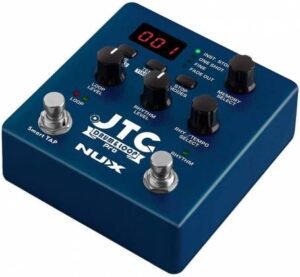
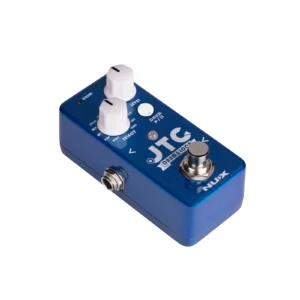 First off, JTC stands for Jam Track Creator. It just means there is a tempo controllable drum machine available for you to play along with.
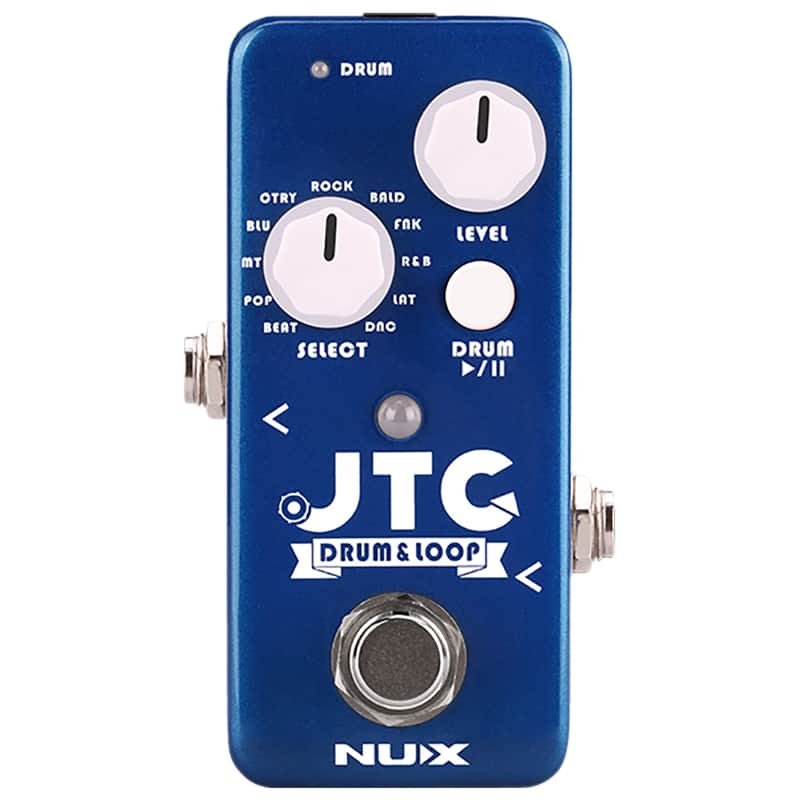
Don’t let its looks deceive you, the Nu-X NDL-2 pedal is a great starting point for not only new loopers, but also for intermediate loopers looking for a little more usability.
Packed with all the usual suspects (standard features) The JTC Mini pedal adds a few more functions to the already multi-function foot switch:
When there’s no loop recorded:
-
- Press once: Start Recording
- Long Press: Starts/Stops the Drums
- Double Press: Activates Smart Tap Tempo
When there IS a loop recorded:
-
- Press: alternates between Play & Overdub
- Double Press: Stops the Loops (&Drums)
- Long Press (When Loop is Playing): Undo/Redo
- Long Press (When Loop is Stopped): Clears the loop
To Elaborate:
- If there is no loop recorded, Long press the foot switch to alternately Start or Stop the drums (Using the pattern currently selected). Once the drums are playing,
 you can still record a loop with a Single-Tap, or give it a Double-Tap, then use the foot switch as a ‘Tap Tempo’ to set the tempo you desire. The is a limit, however, your taps must result in at least 40BPM, which means your taps must be no more than 1.5 seconds between taps. And remember that whenever the drums are playing, the Level knob will control the volume of the drums, not the loops.
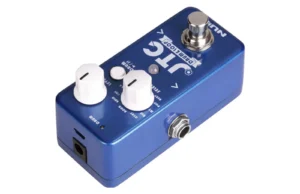 you can still record a loop with a Single-Tap, or give it a Double-Tap, then use the foot switch as a ‘Tap Tempo’ to set the tempo you desire. The is a limit, however, your taps must result in at least 40BPM, which means your taps must be no more than 1.5 seconds between taps. And remember that whenever the drums are playing, the Level knob will control the volume of the drums, not the loops.
The Specs:
- 24 Bit
- 6 minutes Loop time
- built in drums with 10 different patterns/styles and a metronome
- smart Tap Tempo
- True By-Pass & Analogue Dry-Thru
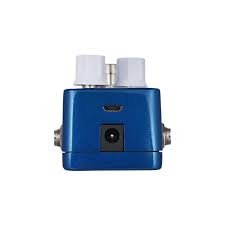
- Micro USB port for Firmware updates
- (Not a USB-C, Not for power)
- No Battery compartment
Things to know:
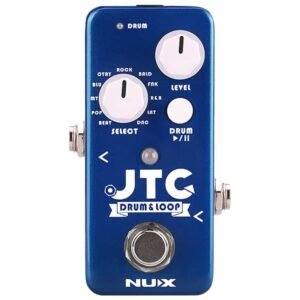
The Level Control Knob performs double duty: It controls drum level if drums are playing, and controls loop level if drums are NOT playing.
A small drum Pause/Play button allows you to start & stop drums, but you’ll need to kneel down to operate it by that tiny button. (Luckily, you can also use the main foot switch)
Whenever you activate the drums, they’ll use whatever pattern the Drum Knob is currently dialed to, and they’ll come in at about 100 BPM. You’ll need to adjust the tempo and pattern accordingly, after they are started. (You can, at least, select the pattern you want ahead of time)
There are no Drum fills available, just a start/stop and a tempo adjust.
You cannot import or edit the drum patterns, nor can you import/export loops. The USB connectivity only allows for firmware updates.
Where to Find One: