Ditto X4 – Release Date: Jan 2016
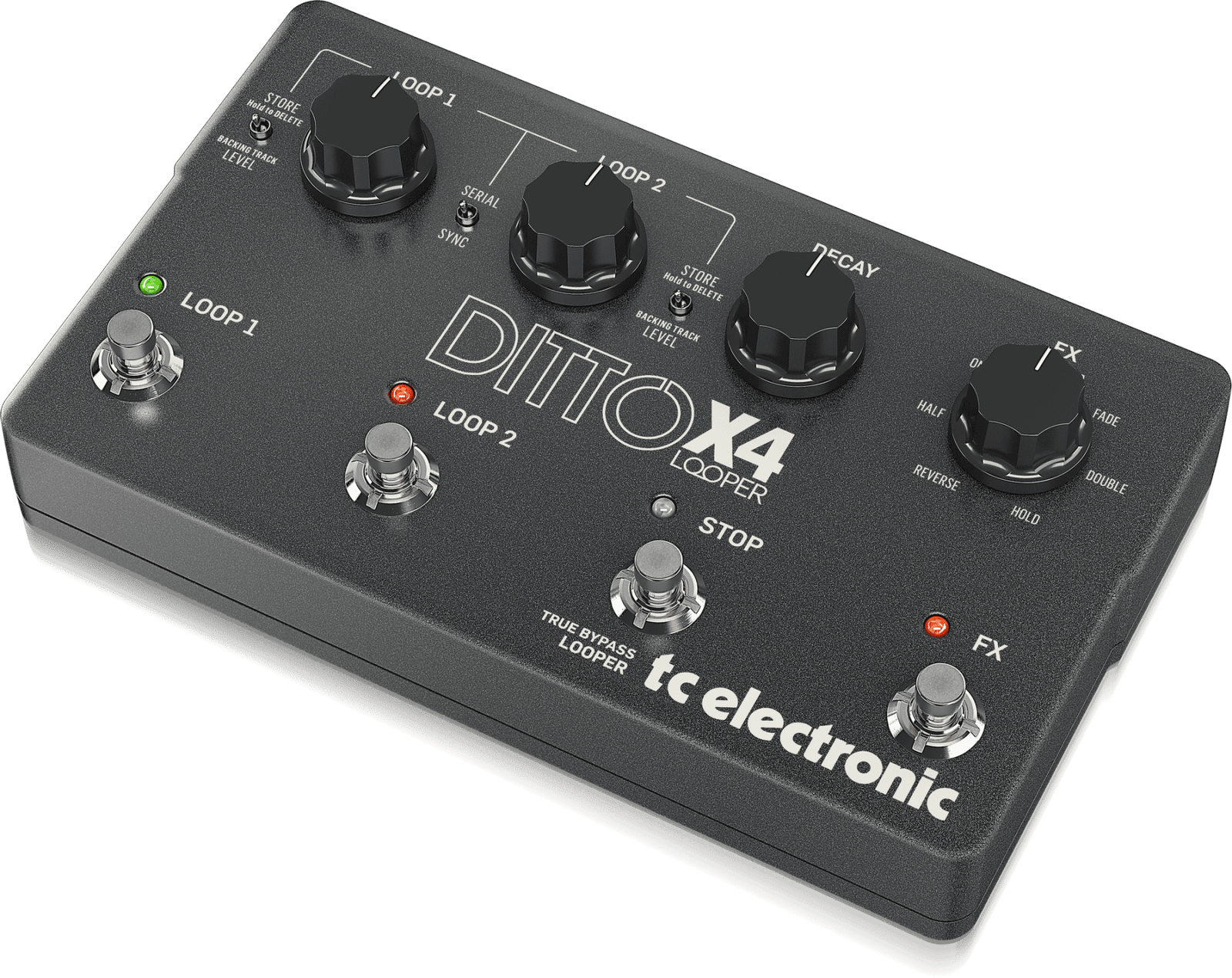
The Ditto X4 Looper can be thought of as the top level Looper from TC Electronics. Not quite at the level of a full blown Loop Station, but a great middle of the road Looper with almost everything a Live Looper might want in a fairly simple to use two channel Looper pedal.
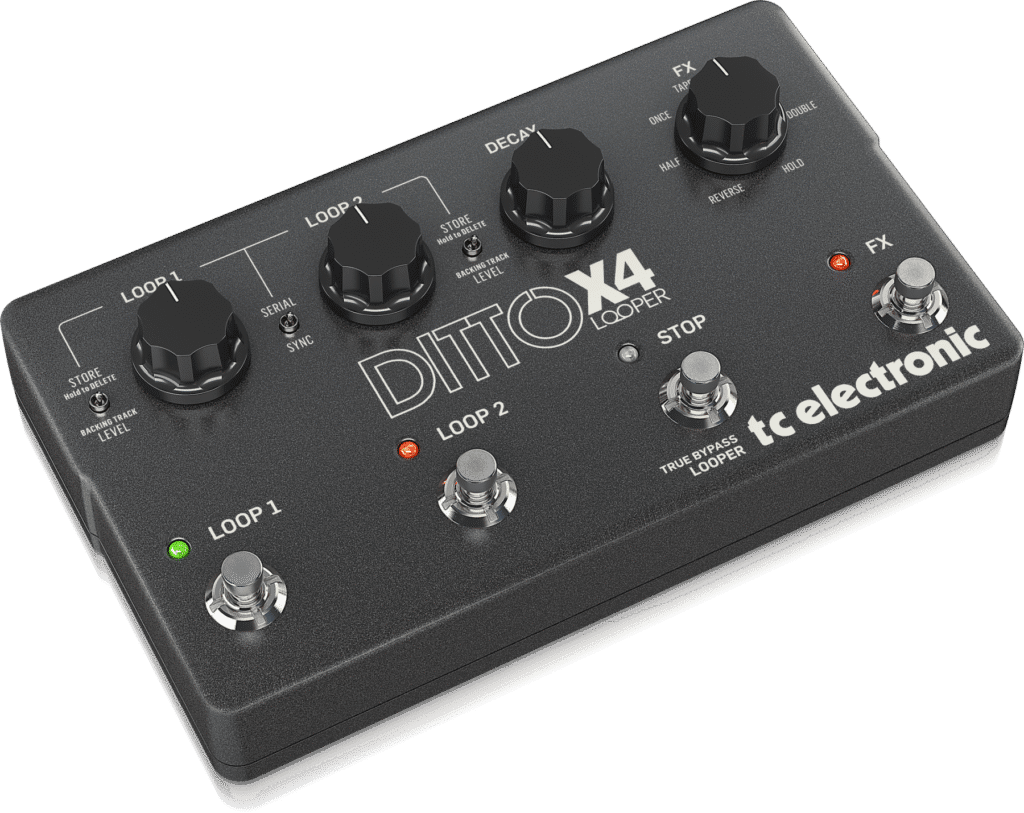
I say that it is not quite a full “Loop Station” as there are no Memory locations to store any tracks, and there is no Rhythm or Drum machine built in. There are just a few effects to choose from, and several key functionality settings that are available only via Dip Switches on the back of the machine.
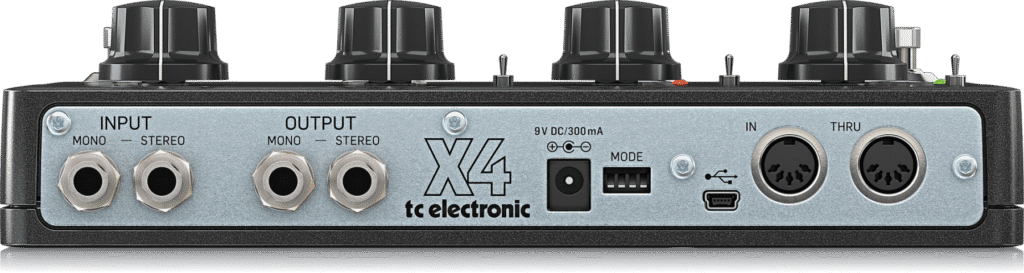
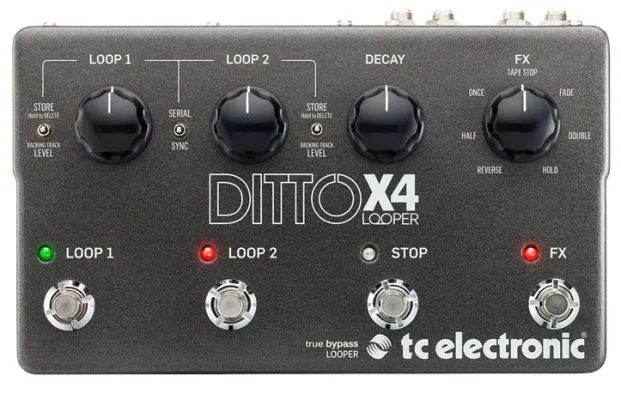
So, while it does offer a good amount of usability, some of the things that make a Loop Station really useful & versatile will require that between songs, you may have to get down on the floor and try to change tiny Dip Switches on the back, or turn physical dials on the face of the Looper.
This is something you may want to think twice about if you plan to do live shows where some songs may need to use very different settings than the last.
If you have any difficulty getting down on your hands & knees and fiddling with tiny switches on stage or between songs, and then getting back up on your feet again, then maybe this pedal just is not your best choice.
However if all or most of your Looping can be done with the same operational settings, or if you don’t mind the physicality of getting to the DIP Switches & controls, then you might do very well with this solid & dependable pedal.
There won’t likely be any system crashes, there won’t likely be any glitches, freeze-ups or failures, barring a power outage … It is somewhat of a workhorse and built like a little tank.
What it does offer are:
Two Loop Tracks
5 Minutes recording time per track
Unlimited Overdubs
Undo/Redo
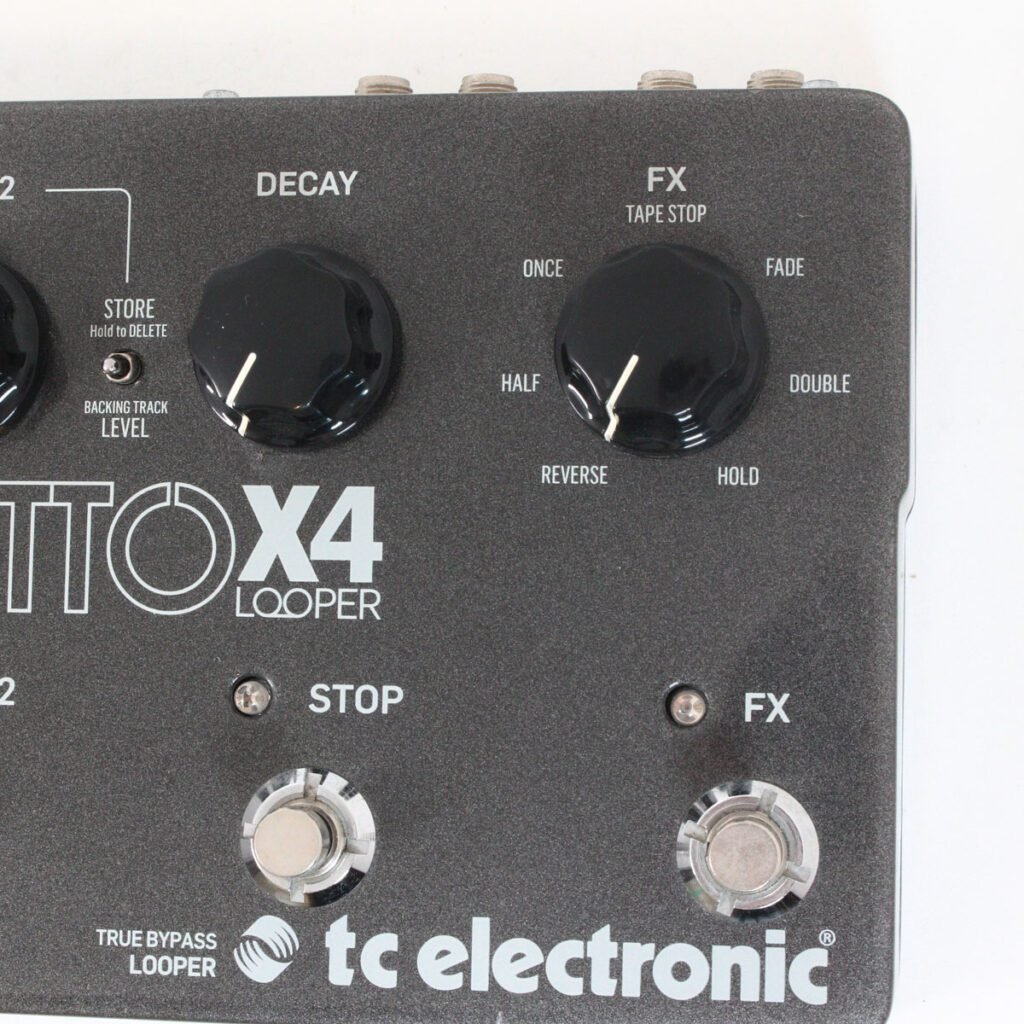
7 Loop Effects to choose from
Loop Decay control
USB Connectivity for transferring Loops & Backing Tracks
Midi In & Thru
Stereo/Dual Mono In & Out
Selectable Built In Effects:
Reverse
Half
Once
Tape Stop
Fade
Double
Hold
DIP Switch Settings:
1 -Record/Play/Overdub vs Record/Overdub/Play
2 -Overdub starts Immediate or at Start of next Loop Cycle
3 -LoopSync Mode:
Serial -Loop 2 Starts Immediate or at LoopEnd
Sync Mode- Loops are unsync’d and start/Stop Immediately
4 -True Bypass vs Buffered Bypass modes
Toggle Switches:
Sync/Serial: Gives you either Single Mode or Multi-mode for your two tracks
Store/BackingTrack Level: You can store/delete your track, or set the backing track level
The two tracks basically operate as two individual Single Button Ditto pedals:
Record/Play/Overdub
Undo/Redo
Stop/Clear
The added Stop switch is an All Stop (both tracks) and a Clear (Both tracks). In the case of serial mode, it will stop the currently playing track, and will clear both tracks.
Ditto x4 Midi CC Messages:
The Ditto X4 responds only to MIDI Channel 4 (This seems to be hardcoded and might not be able to be changed)
CC3 -Loop 1 Rec/Dub/Start
CC9 -Loop 1 Stop
CC14 -Loop 1 Clear
CC15 -Loop 1 Level
CC20 -Loop 1 Hold to Store
CC21 -Loop 1 Clear Backtrack
CC22 -Loop 2 Rec/Dub/Start
CC23 -Loop 2 Stop
CC24 -Loop 2 Clear
CC25 Loop 2 Level
CC26 Loop 2 Hold to Store
CC27 Loop 2 Clear Backtrack
CC28 Decay Level
CC29 All Stop
CC30 All Clear
CC31 FX On/Off
CC85 Parallel/Serial
The Effects respond to Prg change messages 1 to 7
Midi CC commands/ Prg change messages are programmed into a midi track / clip in your DAW or sequencer (Midi channel 4!)
You can stack mulltiple effects onto your tracks, but must be done manually at the control knob & switch. Effects cannot be targeted to an individual track, but applies to both tracks & all layers that are playing.
As with all previous Ditto loopers, any tracks that are in the looper when powered off will auto-save and will be loaded on next power-up.
Overall, this is a full featured looper even tho many of the functions require manually bending down to access the controls & Dip switches as needed. At least the functions controlled by the DIP switches are rarely adjusted by most Loopers, and so likely can be considered as ‘Set & Forget’
Everything else can be readily accessed at the top surface of the pedal via toggles & knobs, or via the foot switches directly.
All in all, this is a great pedal and well worth your time to at least consider as a practical & dependable Looping tool !!