A Battery Powered Mixer ?? Yes!
Release Date: March 2026
For several years now, Yorkville has quietly been slipping into the field of battery powered PA Systems, and has introduced some of the best battery powered Speakers available. The EXM and EXM Pro series of self powered speakers are among the most sought after internal battery powered speakers available.
But nobody has really been tackling the idea of a battery powered mixer at all, except for Mackie with their ProFX Go and its smaller cousin, the MobileMix mini-mixers. Well that has now changed, as there is now some pretty stiff competition from Yorkville.
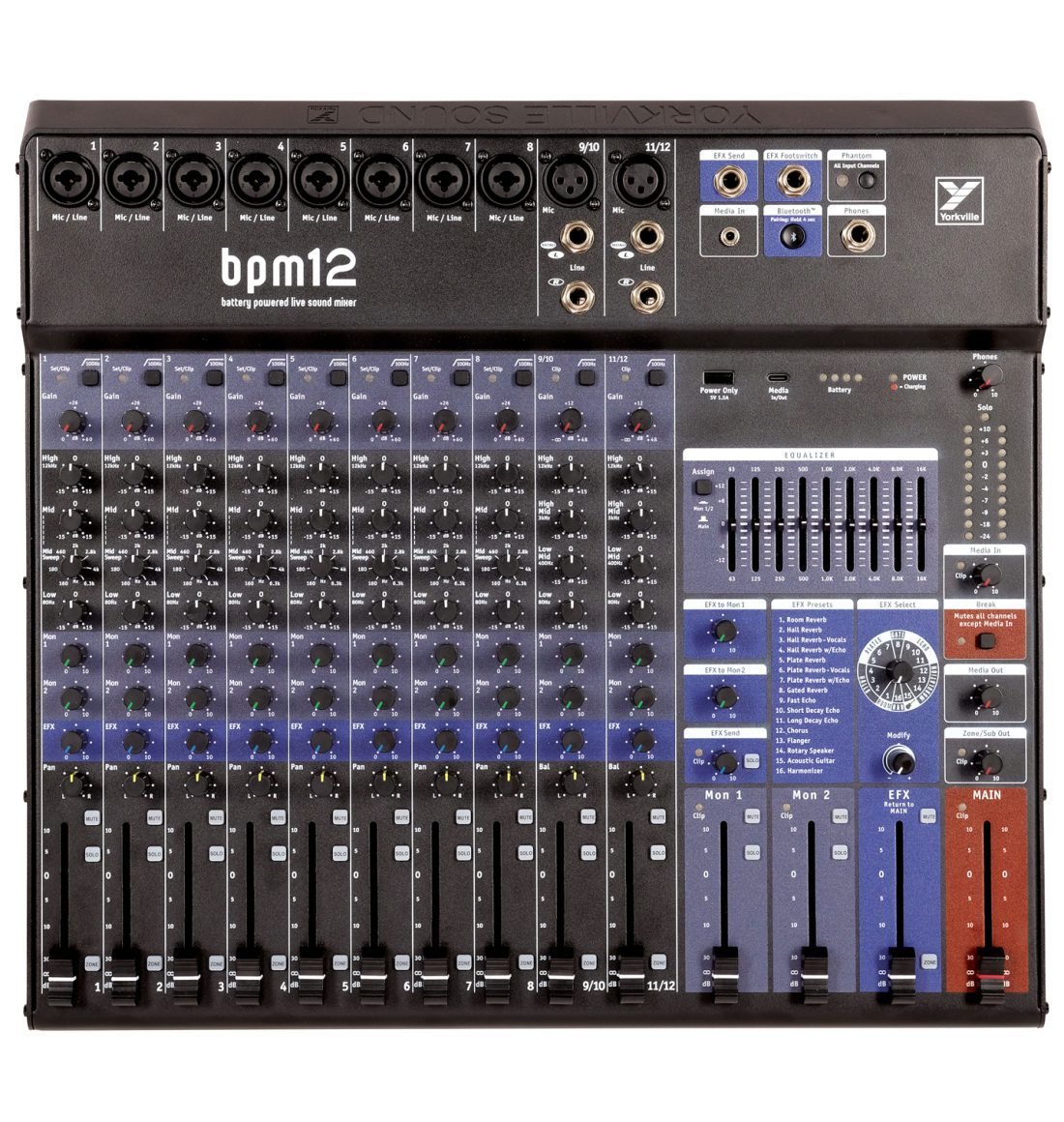
Earlier this spring at 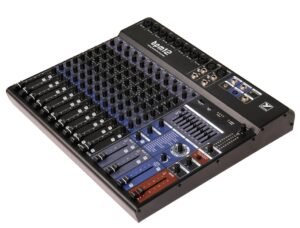 NAMM 2026, Yorkville quietly introduced a new player on the field, the BPM12 Battery Powered Mixer. This is a fully functional, no holds barred, full sized 12 channel mixer, with onboard FX, USB In/Out, Bluetooth, Aux in, Main out, 2 monitor out, Zone/Sub Out, and all the standard features you’d expect on a descent full blown 12 channel Mixer from any of the major brands.
And as advertised, this Mixer has built in Battery power for up to 18 Hrs of operation!! That’s a lot of performance for any PA system. Imagine running your rig at an outdoor event for a full day of music & entertainment, be it a concert, wedding, conference or whatever, without having anywhere to plug in for power. You can of course plug in to a normal 120V power source at any time and operate seamlessly while also re-charging the built in battery in the background.
This mixer is also capable of being recharged from the USB-C port instead of the 120V power, tho its not really clear if it can or should be operated normally while using the USB-C port for power. Having said that, there is also a USB-A output right onboard the mixer surface, for powering anything that is capable of running off of USB power. Video Cameras, handheld recording devices, USB Mixer light, or re-charging your cell phone or tablet. The USB-A outputs 1.5 amps of 5vdc, and so if you’re recharging your tablet or cellphone, it’ll be at a bit slower rate than you may be accustomed to. I’d recommend using this port for powering other miscellaneous USB devices instead. Something like a Zoom Q2n-4k/Q8N-4k camera or a Zoom H6/H8 recorder will be happy to run all day from this port. Keep in mind that the more you tax the system, the more of the mixer’s battery juice you’ll consume. (Battery life is UP TO 18 hrs on a full charge, depending on how you use the system).
The USB-C is also able to be used as as a stereo In/Out DAW Interface, if you’re looking to capture the day’s performance or send music/audio into the PA. This is also (most likely) the way you’ll want to output audio to your cellphone or laptop for live streaming your performance.
You can connect to any Bluetooth device to stream audio into the mixer, typically for playing music between sets or for backing tracks. When you power on the mixer, Bluetooth is disabled by default. Press the Bluetooth button once to reconnect to the last connected device. If you’re connecting to any other device, press & hold the Bluetooth button for a few seconds to pair (or to re-pair) a device.
There is also an Aux-In, for connecting any 1/8″ (3.5mm) TRS stereo input. This is typically for the same purpose as the Bluetooth input (Playing music between sets or for backing tracks). The Bluetooth and the Aux Input have their own level control knob available to set their volumes. This is called the ‘Media In’ knob.
As far as the actual mixer interface goes, this is very much a full Console experience, and offers up a simplicity that most performers will very much appreciate!! There’s already enough high-tech gear in most people’s kits to confuse the best of us.
First off, 10 input channels consisting of:
- 8 Channels with Combo Jack Inputs
- 2 Channels with one XLR and two 1/4″ Jacks (L&R)
After that, all 10 Input Channels have: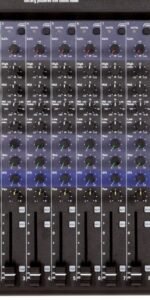
-
- Clip Indicator
- Low-Cut (100Mhz)
- Gain Knob
- Standard 4 Knob EQ (see below)
- 2 Monitor Send Knobs
- Effects Send Knob
- Pan Knob
- Channel Fader
- Solo button
- Mute Button
- Zone/Sub Send Button
For the 8 mono channels, (Channels 1-8, with combo jacks), the EQ controls are: Hi, Mid, Mid Sweep, and Lo frequencies). For the 2 Stereo channels, (9-10 and 11-12, with XLR and L&R 1/4″ Jacks) the EQ is a little different: Hi, Hi-Mid, Low-Mid and Low frequencies (no sweep knob)
The control interface is so standard, anyone with basic experience on any house mixer will likely have no difficulties with this console. The next section of the board will feel equally familiar to most users, depending on their experience.
In the upper right portion, there is a control/patch bay where you’ll find the Effects Send jack, Aux In (Media In) jack, Bluetooth On/Off/Pairing control with Indicator LED, Phantom power switch with indicator LED, Headphone 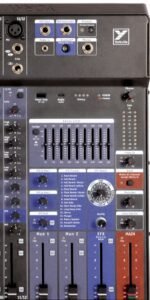 Out Jack (1/4″ TRS). There is also a 1/4″ port for an Effects Foot Switch, presumably for FX On/Off tho this feature has not been tested by us, and is not elaborated upon in the available documentation.
The next section below is where you’ll find USB ports, Battery Level LED’s, Power status Indicator LED, Headphone Level knob, 9-Band Graphic EQ and it’s Assign switch, a handful of knobs & controls pertaining to the onboard Effects parameters and routing. There is a ‘Media In’ level knob that operates both Aux In and Bluetooth In levels, Break switch (Mute All except Media In), Zone/Sub Out level & Media Out Level (for the USB audio out).
Then there are the Output faders: 2 Monitor Out faders, Effects Return fader and Main Out Fader. So, as far as mixers go, being a battery powered mixer is really icing on the cake!! And having 18 Hrs of battery life is a big deal, as there are no other mixers to my knowledge that come close to that as of the writing of this article.
At the rear of the mixer, you’ll find the power input socket with a fuse panel immediately below where you plug in the 120V power. This mixer requires a standard T500mAL fuse (Slo-Blo). There is a place for a spare fuse to be stored inside the fuse tray, so you may want to have a look and ensure there is a spare fuse available in case you ever need it (no fuse=no show).
You’ll find the main Power switch in this area as well.
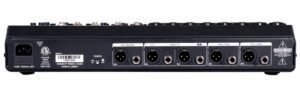
There is a standard output bay that provides all the right ports with no unfamiliar features to contend with. There are outputs for Zone/Sub Out, Main L&R, and Monitors 1&2. All outputs offer both XLR and 1/4″ Balanced (TRS) outs.
Be sure to download & read the 10-page users guide, as there are numerous details to know about and understand, such as how the built-in compression per channel works. There are also few alternate uses for some of the mixer’s features that may not be so intuitive, so its worthwhile to do some research & be informed!! You might not otherwise realize that you could possibly use the Effects Send as an extra monitor output, or how to effectively utilize the Effects Return feature that’s available.
While maybe not a really high end studio quality or heavy-duty piece of kit, overall this battery powered mixer is a fantastic addition to anyone who may find themselves performing in a remote or outdoor location where power is a concern. This would be a very welcome sight for any sound tech with minimal experience or limited technical ability. There’s literally nothing hidden in any menus, or secret button combinations to know about, or unintuitive mysterious functionality to contend with whatsoever!!
So, if you’re in the market for a battery powered mixer to enhance your kit, this mixer rings in at a very reasonable price, and there’s not likely to be a better choice available!!
Yorkville’s User Guide can be found HERE
The BPM12 Spec Sheet can be found HERE
Find your Battery Powered Mixer here:
Search Guitar Center for Yorkville BPM12
Search Reverb.com for Yorkville BPM12