Release Date: Jan 2026
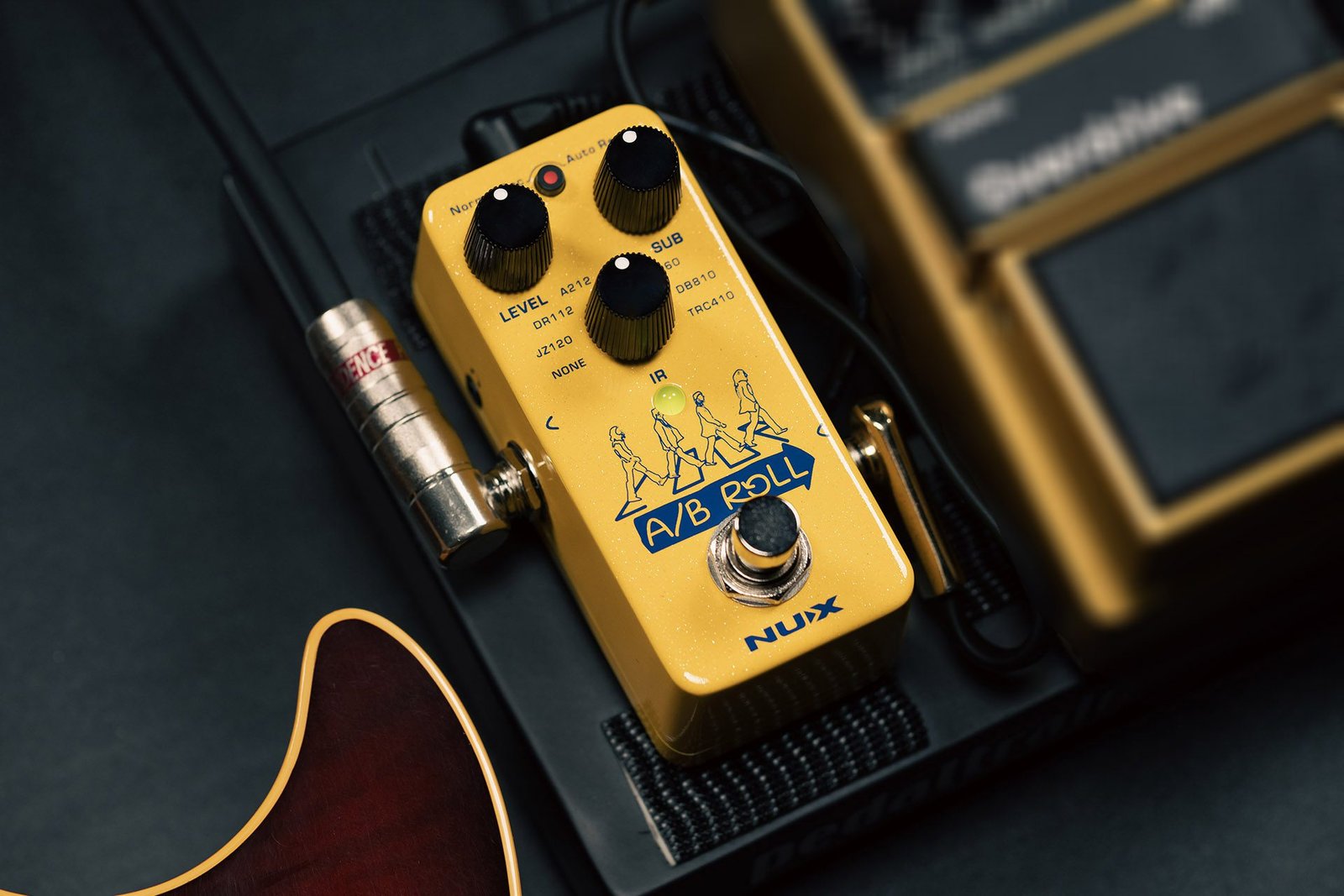
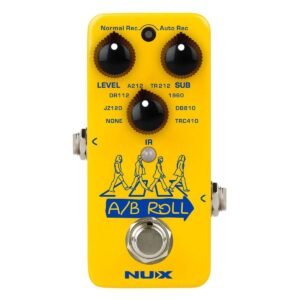 One of the more interesting small footprint loop pedals to hit the market recently is the Nu-X A/B Roll Octave Loop Pedal. Sporting all of the features that any smaller loop pedal might offer, this little beast packs a pretty good set of add-ons into a simple to use, single foot switch design.
- 6 minutes recording
- 24 bit/48Khz sampling
- Unlimited overdubs
- Undo/Redo
- Auto/Normal Record
- Multi-Colour LED Indicator
- USB C Connectivity
On this pedal, the LED Indicator light doubles as a multi-function button, which gives access to control for both Headphone Out level and Auto Record Sensitivity. On a long-press of the LED button, the Level knob becomes Headphone level and the Sub knob becomes Auto Record Senitivity level adjust:
- Press: Toggles between Auto/Normal Record
- Long Press: Level controls for Headphones and Auto Record
- Press again: Saves your changes and ready for use
On the input side, you have a USB-C port to facilitate file transfers, interfacing to IR Manager Software, and Backing Track input and OTG functionality (More on that, down below)
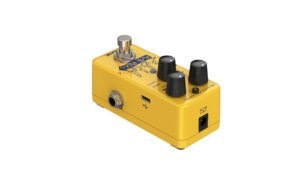
And so, as a normal looping pedal, the A/B Roll pedal is already on par with most other small footprint looping pedals.
But WAIT !!! There’s MORE !!
As mentioned, the USB-C port allows connectivity to an IR Manager app … so, what’s that all about?? Cab Sims !! You are able to load up to 7 of your own IR Cab Sims into this pedal, or use any of the 7 preset IR Cab Sims already built in!! Furthermore, the app allows you to adjust/modify them using Hi & Low cut tweaking controls in the Manager app. Aside from connecting to a computer, this pedal is armed with OTG capability, so you could connect thru USB-C to any mobile device that is also capable of “On The Go’ (essentially, audio thru USB-C input) connectivity. What this means is that you can easily connect directly to your cell phone, and LIVE STREAM from this pedal right out to your social media platforms !! How awesome is that for Live Streamers ???
As the pedal is named ‘A/B Roll OCTAVE Loop Pedal’ you guessed it, the Sub Knob is an Octave Down control. It works a little backwards tho, in my opinion… As you turn the knob Clockwise, the Octave effect increases .. In fact, the effect seems to be set to always be active, but when turned fully counter-clockwise, it’s volume level is reduced until it’s not audible. Turning it up, increases the volume of the ‘Octave-Down’ so that you can hear it and dial in the amount of bass you want. It is set to always be one octave down from your input signal, and is Polyphonic.
But WAIT, There’s MORE !!
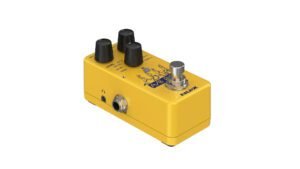
Nu-X has very generously supplied us with a Stereo Headphone jack on the output side of the pedal, with it’s very own level adjustment!! Just long-press the LED Indicator button, and the Level knob becomes a headphone level adjustment, aka volume knob!! And instead of using it for headphones, you could instead have some interesting routing options available to experiment with. And, the headphones will hear the IR, Octave, USB audio in, and everything else on your pedal board before this pedal !!
One thing to note: This pedal might not be able to switch modes from Record/Play/Overdub to Record/Overdub/Play. It MIGHT not be changeable from the default: Record/Play/Overdub so just be aware of this, if it is relevant to your expectations. At least, at the time of writing this article, I was unable to find any documented mention of being able to change up the Record/Play/Overdub order.
This pedal does not have a battery option, you must plug in a 9vdc power supply.
More information can be found at the Nu-X website, along with Drivers, Manuals in various languages, and IR Manager apps
Search for Nu-X and other Loop Pedals: