Boss RC-30 – Release Date: Jan 2011
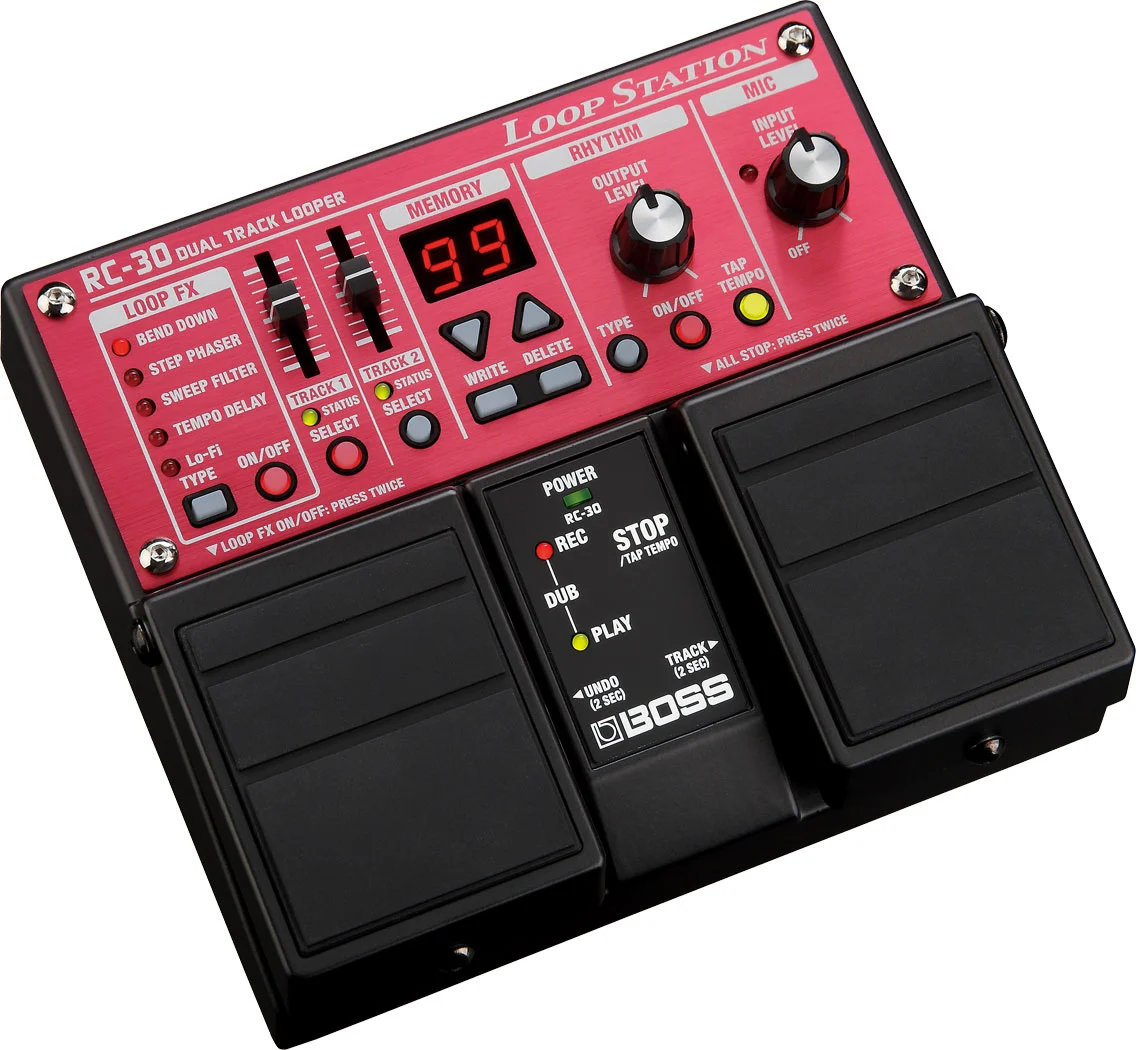
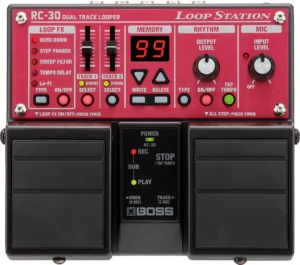 On the 10th Anniversary of the first Boss Loop Station, a new updated version was released. As the successor to the previous RC-20XL, the Boss RC-30 had some big shoes to fill. Primarily, the RC-30 brought extended recording time, dual stereo tracks, a mic input with Phantom Power, and a stereo (or dual mono) pair of 1/4″ inputs, several onboard effects and the onboard rhythms’ sound quality was also improved upon. Together, the three Boss Loop Stations released in 2011, (RC-3, RC-30 and the RC-300), were a game changing & noteworthy advancement in the evolution of Looping.
The RC-30 offered looping musicians the following:
- 16-Bit, 44.1 Khz recording quality
- 3 hrs total recording time

- file size up to 17Gb
- 99 Memory locations
- Stereo (or Dual Mono) Inputs
- Mic Input (XLR)
- Phantom Power Switch
- Mic Input Level Knob
- Stereo (or Dual Mono) Outputs
- Two independent Stereo Tracks
- Two separate Track Level faders
- Several onboard Track Effects
- 10 high quality Rhythm Pattern styles
- Dedicated Rhythm Level Knob
- 4/4 and 3/4 Time Options available
- Tap Tempo Button and Foot switch
- Rec/Dub/Play (Default) or Rec/Play/Dub modes
- Single or Multi Track Modes
- Auto Record Mode
- Count-In Mode
- One Shot Mode
- Fade Out Mode
- Undo/Redo
- Loop Sync (*2)
- All Start / All Stop
- USB-B For File Transfer & Firmware Updates
- Can run on 6 x AA Batteries, for approx 7 hrs of usage.
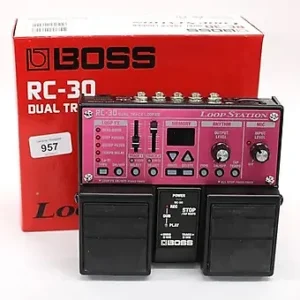
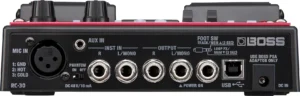
While the RC-30 is a fairly old and very thoroughly reviewed Loop Station, there are a vague few details that leave some with a few misconceptions:
- You can easily switch between ‘Record/Dub/Play’ and ‘Record/Play/Dub’ modes by holding down the TapTempo while powering on the unit. Use the arrow buttons to select either ‘rd’ or ‘rP’. The default setting is ‘rd’. Press TapTempo again to save & exit.
- You can have two tracks of different lengths, but not when LoopSync is on. You’ll have to deactivate LoopSync (Which is always on by default, and is an undocumented fixed setting). Do this by going into ‘One-Shot Mode’ on your second track. Hold down the Track Select button of track 2, select ‘os’ using the arrow keys. Press the Track Select button again to save & exit.
- There is a way to ‘All Start’ both tracks together. Just arm both of the tracks by pressing both Select buttons simultaneously, or use the Foot Switch to select both tracks. They will light to indicate ‘Armed’. You could also include Rhythms in an ‘All Start’ action, if you first capture a measure or two into one of your tracks (then shut off the Rhythm circuit, as it has been recorded into a track)
- Since you can use up to two separate external foot switches (such as a Boss FS6 or FS7), you could also use a pair of Boss FS5u switches, and simply use an Insert cable (TRS on one end, and two TS connectors on the other end). This permits you to use a pair of FS-5u switches to maximize your options. The connector plugging into the RC-30 (TRS or TS) is the determining factor that decides whether you’ll have access to ‘Current Track/Memory Up’ or ‘Fx On-Off/Current Track/Memory Up & Down & Fx Type’ operations. (You cannot utilize a Boss FS-5L type pedal with the RC-30)
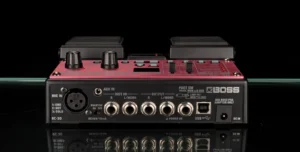
All in all, the RC-30 Loop Station can be a pretty versatile looper and can be a great pedal for Busking outside as it is very durable and can operate on batteries for most of a day. It can also be a great learning tool for newer Loopers and those looking to experience a step in the evolution of looping thru the years.
Downloads:
- Firmware Update, Restore, Tone Studio
- User Guides (All Languages)
Where to Buy: