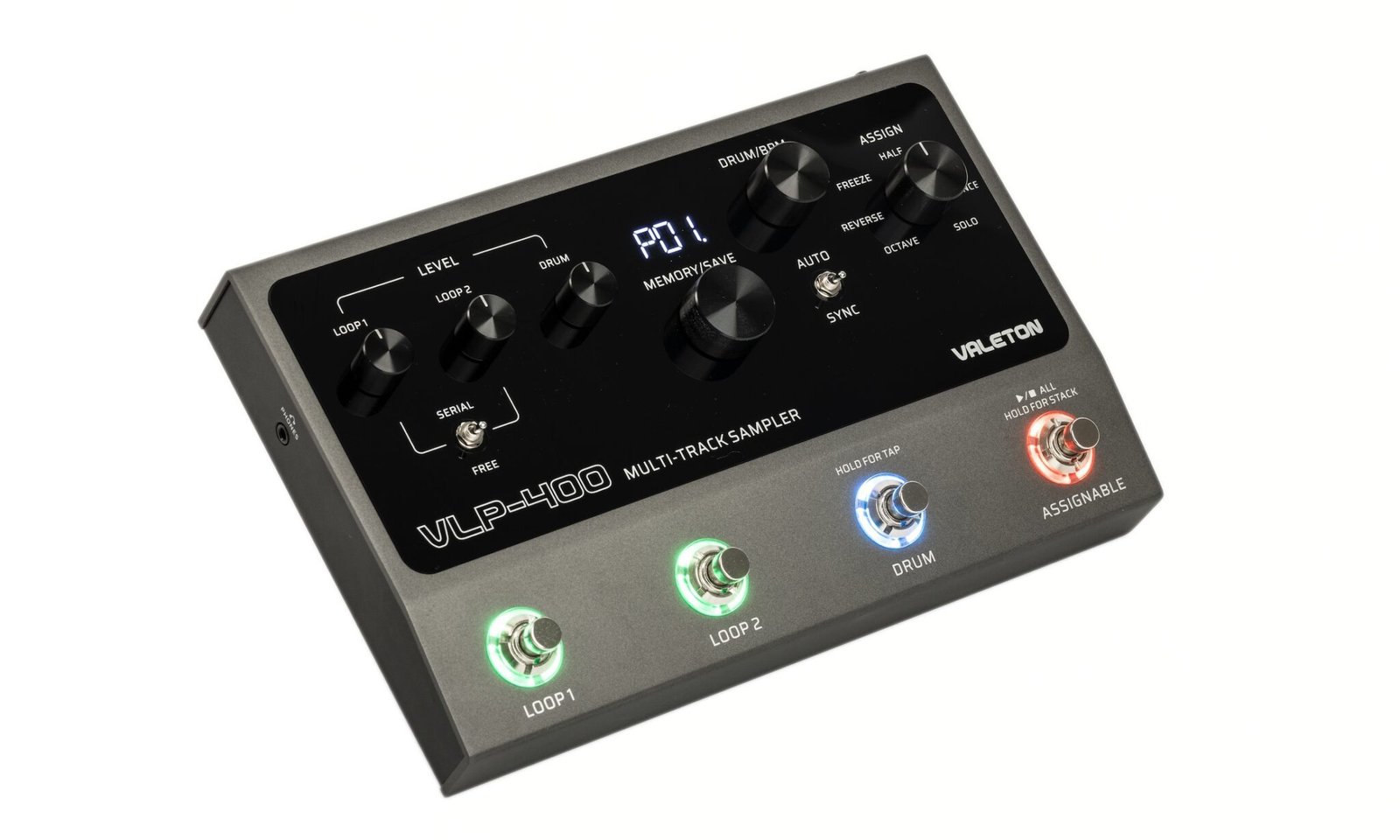
VLP-400 – Release Date: Spring 2025
Valeton has done the unthinkable!! They’ve entered the Looping market with not one, but TWO very cool Loopers that are shaking things up in the world of Looping.
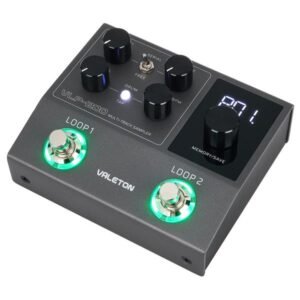
The Valeton VLP-200 and the VLP-400 are two good looking loopers that offer more features than you’d expect, at about half the price (or less) than the competition, and they’re doing it in style!!
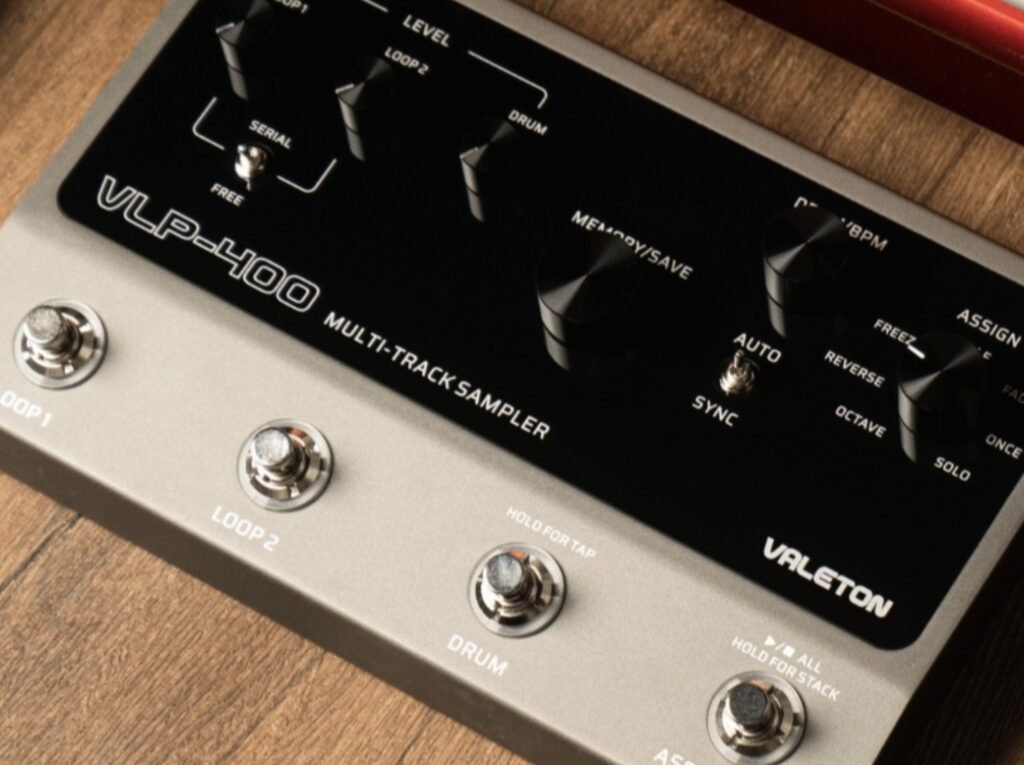
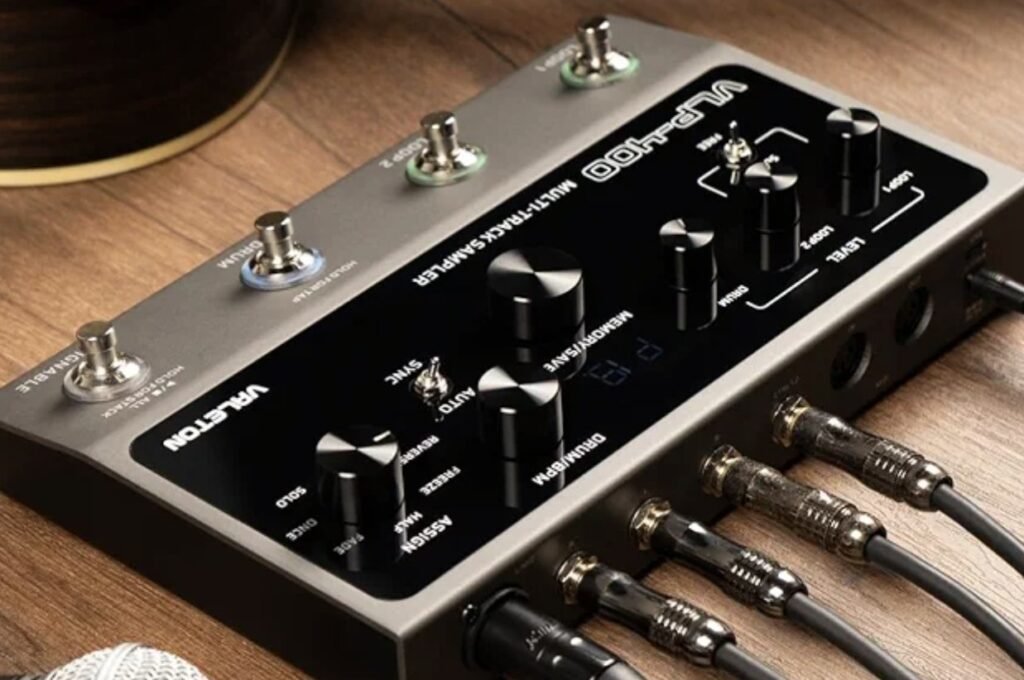
The Valeton VLP-400 offers:
Two Independent Looping Tracks
Up to 12 Hrs Recording time (6 minute per Memory, max)
Overdub Time Doubling and Traditional “Stack Overdubbing”
Metronome, 130 Drum Patterns – 24Bit, 48Khz
7 Assignable Effects with Assignable Foot Switch
USB-C port for Firmware/File Transfers
TRS port for Dual External Controller (For Drum control only)
32 Bit / 48Khz Recording
99 Memory Locations
Serial/Free Playback Modes
Auto/Sync Modes for Drums
Stereo In/Out
1x Combo Jack, 1x 1/4″ TS Input
Two 1/4″ TS Outs
Midi In/Out (5-Pin Din)
Cast Metal Chassis
9VDC Power Supply
System Configuration options are accessible via press & hold various buttons while powering on the unit, or by Long-Pressing the Main Memory Knob. These options are somewhat limited, but that also means far less menu diving and digging thru manuals trying to figure out a thousand parameter settings.
Press & Hold: Loop1 Foot Switch while Powering On =Select Output Routing
Press & Hold: Loop2 Foot Switch while Powering On =Select Midi Channel
Press & Hold Memory Knob: Select the functions of External Foot Switch 1 & 2
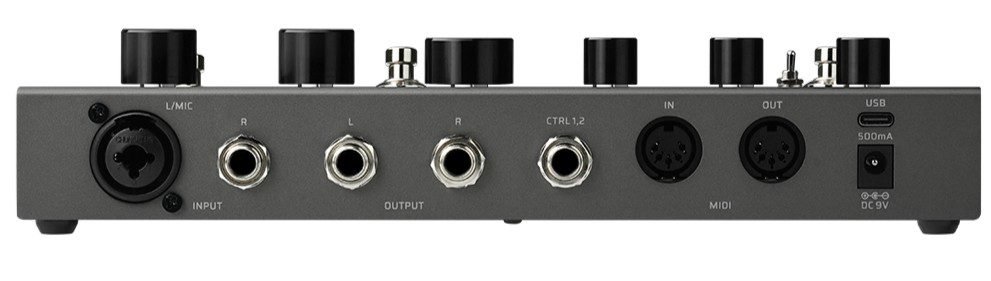
On the Back plate, you’ll find:
1 x Combo Jack, for XLR or 1/4″ TS plug
1 x 1/4″ TS Jack, for mono instruments
2 x 1/4″ TS Jack Outputs, for Mono or Stereo out
1 x 1/4″ TRS Jack for External Controller (up to 2 foot switches)
2 x 5-Pin Din, Midi In/Out
1 x USB-C port, for File Transfers & Firmware Updates
1 x Power Jack, 5.5mm x 2.1mm Barrel, Center-Neg, 9vdc, 500Ma
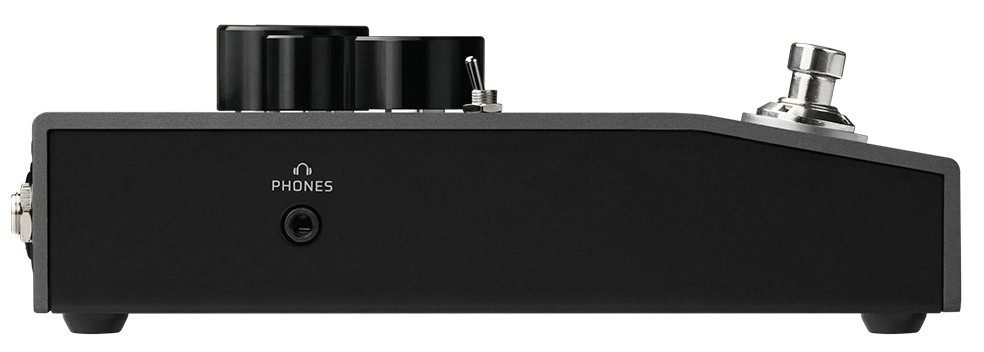
On the Left Side, you’ll find:
1 x 1/8″ TRS Headphone Jack
When you save to a Memory Location, the VLP-400 stores all currently recorded loops & overdub layers, any selected drum pattern and the current BPM. It does NOT retain any Effects used or the System Configuration settings, such as Midi setups or Routing options.
While the Effects controls may look to be somewhat reminiscent of the TC Electronics Ditto X4 Looper, the VLP-400 operates very differently. You still first need to “dial in” which effect you would like to utilize, using the large Assign knob on the upper right of the control panel. This now is the function that the “Assignable” foot switch will activate. And that’s where any similarities end. On the Ditto X4, you could add some effects together, by activating an effect, turn the knob to another effect & activate that as well, and so on. But on the VLP-400, turning the Control Knob while an effect is active simply turns off that effect, and also will cancel any overdubbing that was taking place. Some of the effects make overdubbing not possible, such as ‘Freeze’ and ‘Once’. Also, the individual effects may work differently depending on whether you’re in ‘Serial’ or ‘Free’ mode, so be sure to download consult the manual for details. You can find most Valeton User Guides HERE.
MIDI CONTROL !!!!!
YES, The VLP-400 can absolutley be almost fully operated via Midi !!!
Thru CC messages, you can control the Playback volumes of Loops or drums, Memory Inc/Dec, and just about any Loop, overdub or drum function that the VLP-400 is capable of, or even any Effect function.
To sum it up, Valeton has given us a whole lot of Looper, right there, in the palm of your foot!
At the price its offered at, it is definitely a steal !!!
Having no luck trying to update firmware on my VLP400.
Hello Rand … When you download the file, it is a ZIP file that must be UnZipped to release the files inside. There are many tutorials on Youtube regarding Upzipping (extracting files from a Zip file). Here is a link to videos we have made that go into pretty good detail on Zipping & unzipping files and getting the actual files you need INSIDE the zip file – Watch Here, Hope this helps
https://www.youtube.com/playlist?list=PL1XZfkyTcD699MhVCn6WEwBjonJqmYYTL